Category: Tips & Tricks

fix-500-internal-server-error-wordpress-thumbnail
How to Fix 500 Internal Server Error in WordPress
What Is a 500 Internal Server Error in WordPress? The 500 Internal Server Error is one of the most common...
Read More
fix-there-has-been-a-critical-error-on-this-website-thumbnail
How to Fix “There Has Been a Critical Error on This Website” in WordPress
Seeing the message “There has been a critical error on this website” can be alarming—especially when...
Read More
wordpress-harmful-software-warning-fix-thumbnail
Website Showing “Harmful Software” Warning Even After Fresh WordPress Installation – Causes & Fixes
Many WordPress developers assume that deleting all files and installing a fresh copy of WordPress will...
Read More
website-with-harmful-software-warning-thumbnail
Website Showing “Harmful Software” Warning When Loading – What It Means & How to Fix It Fast
Seeing a “Website with Harmful Software” or “This site is unsafe” warning when loading a website can...

Read More
php-tips-clean-secure-code-thumbnail
PHP Tips to Write Clean and Secure Code
PHP powers a huge portion of the web, including WordPress and many popular CMS platforms. While PHP is...
Read More
javascript-tips-cleaner-code-thumbnail
JavaScript Tips to Write Cleaner Code
JavaScript is the backbone of modern web development. From simple interactions to complex web applications,...
Read More
css-tips-cleaner-faster-styles-thumbnail
15 CSS Tips to Write Cleaner and Faster Styles
Writing CSS is easy—but writing clean, maintainable, and fast CSS is a real skill. As websites grow,...
Read More
make-image-clickable-in-html-thumbnail
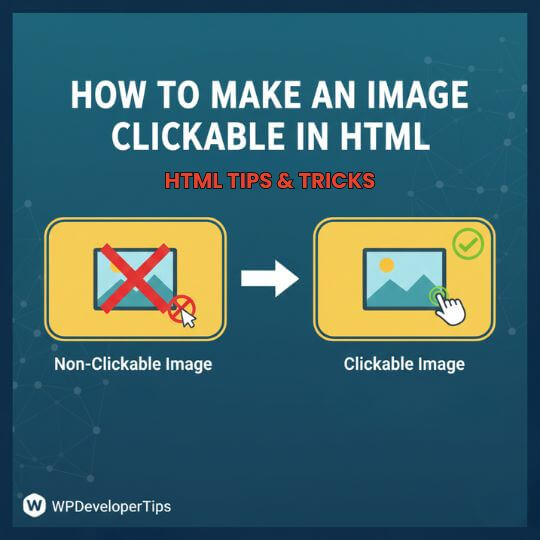
How to Make an Image Clickable in HTML
Making an image clickable is a common requirement in web development. You may want users to click an...
Read More
add-tooltip-in-html-without-javascript-thumbnail
How to Add a Tooltip in HTML Without JavaScript
Tooltips are small text popups that appear when users hover over an element. They help display additional...
Read More
open-link-in-new-tab-html-thumbnail
How to Open a Link in a New Tab Using HTML
Opening links in a new browser tab is a common requirement in web development, especially for external...
Read More
replace-enter-title-here-text-for-custom-post-types-thumbnail
Replace Enter Title Here Text for Custom Post Types
Use the below code snippet to change the default ‘Enter the Title Here’ placeholder on the add new post...
Read More
how-to-change-the-currency-symbol-in-wordpress-thumbnail
How to Change the Currency Symbol in WordPress
Add the below codes into your theme’s functions.php file. add_filter('woocommerce_currency_symbol', 'change_existing_currency_symbol',...
Read More
replace-woocommerce-default-pagination-with-wp-pagenavi-thumbnail
Replace Woocommerce Default Pagination with WP PageNavi
Add the following codes in to your theme’s function.php /* * Replace WooCommerce Default Pagination with...
Read More
resolve-the-http-error-when-image-uploading-thumbnail
Resolve the HTTP error when image uploading
Insert these codes into .htaccess <IfModule mod_security.c> <Files async-upload.php> SecFilterEngine...
Read More
email-validation-in-javascript-thumbnail
Email Validation in Javascript
In Javascript page: /* in javascript page*/ function validateForm(){ var x=document.forms["myForm"]["email"].value...
Read More
how-to-redirect-your-404-page-to-the-home-page-in-wordpress-thumbnail
How to Redirect your 404 page to the Home Page in WordPress
404′s are part of every website. A while ago we compiled a list of some pretty cool WordPress 404 designs....
Read More
customize-wordpress-login-logo-without-a-plugin-thumbnail
Customize WordPress login logo without a plugin
The only thing you have to do is to copy the following piece of code, and paste it on your functions.php...
Read More
Scroll to Top